T20 World Cup 2026 Live Match Tracker: Multi-Match Fantasy Strategy on CricInformer
The T20 World Cup 2026 packs a month of high-intensity cricket into overlapping match windows. CricInformer's live match tracker turns every India fixture into a real-time fantasy dashboard — ball-by-ball points, captain multipliers, leaderboard jumps, and the ability to switch contests without losing context across multiple matches running at the same time.

Why the T20 World Cup 2026 demands a live tracker mindset

India play as many as three T20 World Cup fixtures in seven days during the group stage, and the Super Eight round concentrates the schedule further. For fantasy players, that means up to four live matches running in parallel on a single match day. Juggling four CricInformer tabs — one per match — breaks concentration, and the moment you switch to refresh a score, you miss a wicket on the match you were watching. The live match tracker on CricInformer solves this by collapsing all your active contests into one screen.
The engine behind the tracker reads official ball-by-ball data from the same feed broadcasters use, applies the CricInformer scoring rules (4 runs for a boundary, 6 bonus per six, 25 per wicket, plus strike-rate, economy, milestone, and captain multipliers), and refreshes every player's fantasy total within 1-2 seconds of the on-field event. By the time the camera cuts to the replay, your points are already updated.
The T20 WC 2026 format also introduces more knockout pressure, which means death-overs volatility is higher than a regular bilateral series. A bowler going for 18 in the 19th over can wipe out three of your top picks; a 30-run over with three sixes can lift a differential captain from rank 4,000 to rank 80. The tracker shows you the volatility in real time so you can read the room, not just the scoreboard.
How the CricInformer live tracker handles multi-match days
The multi-match dashboard groups every live contest you have entered — across all four T20 WC 2026 matches running that day — into a single ranked list. Each row shows: your team name, the match, the current fantasy total, your current rank, the gap to the next rank, and a trend arrow (up/down) for the last over. A "best team" highlight at the top of the dashboard points to the team currently giving you the highest points, so you know where to focus your attention.
Switching from one match to another takes one tap. The tracker remembers your last view per match, so coming back to India vs South Africa after watching Pakistan vs England shows you the same over-count, the same batting order, and the same captain panel you were last monitoring. You do not lose context when the schedule forces you to jump.
The T20 WC 2026 also benefits from CricInformer's captain swap reminders. Because the platform does not let you change your captain mid-match, the tracker sends a one-time push before the toss of every upcoming match reminding you to set your captain and vice-captain. The reminder links directly to the team editor, so the time between "toss announced" and "team locked" is usually under 60 seconds.
Cross-match alerts are equally useful on double-header days. Enable alerts for wicket, milestone, and Powerplay-end events on every match, not just the one your captain is in. A wicket in Match B might open a captain pick opportunity in Match C the next day — knowing the pattern across the tournament compounds your edge over the season.
Practical layout for a busy T20 WC 2026 day
- Top of the screen: India fixture, your primary team, captain progress bar.
- Middle: A condensed row for each secondary match (3-4 visible at once) with rank, points, and gap to next rank.
- Bottom: Recent wicket and milestone alerts across all live matches, in chronological order.
This is the same layout that the highest-ranked CricInformer India users adopted during the 2024 T20 World Cup and the 2025 Champions Trophy, and it works equally well for the 2026 edition.
Reading the live leaderboard during a tight T20 chase
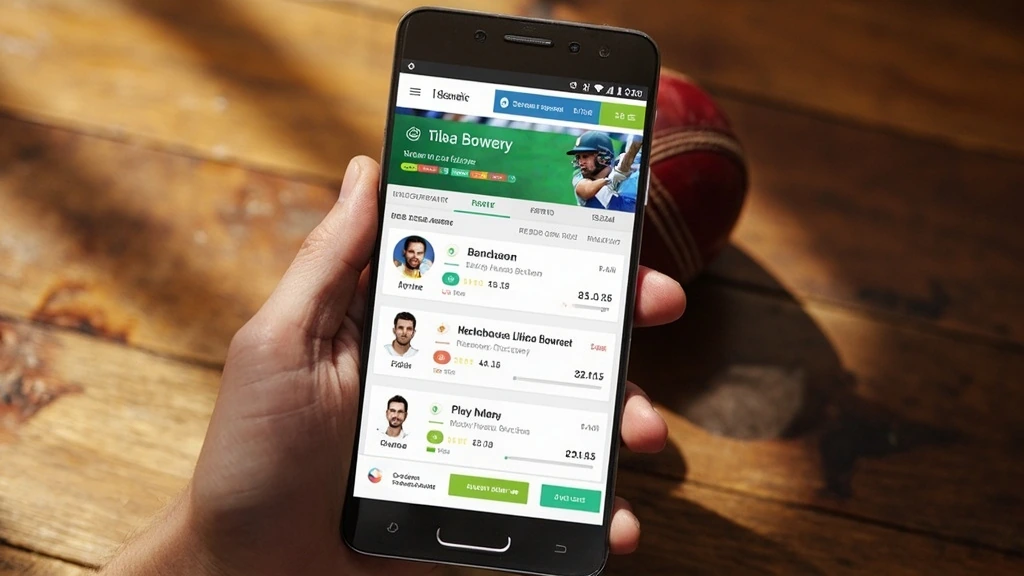
The most-watched moments on CricInformer are the death overs of a T20 chase. In the 2024 tournament, the average rank shift in the last 5 overs of a tight chase was 1,800 positions. In the 2026 edition, with bigger scores and more aggressive batting orders, the average is closer to 2,400. The live leaderboard updates every 3-5 seconds, so watching the rank column is the fastest way to feel the impact of every ball.
When you read the live leaderboard during a chase, pay attention to three signals: (1) the captain's strike rate (a captain under 120 strike rate at the 15-over mark usually caps out at 70-90 fantasy points, while a captain above 160 can finish at 130-180); (2) the bowlers' economy in the 16-20 window (an economy under 7 earns bonus points, over 10 erases them); and (3) the run-out and catch columns (these are the easiest +12 and +8 swings and are the most volatile in T20 cricket).
The CricInformer live tracker also shows the projected finish — a number that updates with every ball, predicting the team's final fantasy total based on the current run rate and wickets in hand. During a 16-over chase where India need 60 off 24 with 7 wickets in hand, the projected finish for a top-order heavy team is around 195 fantasy points. That number is your anchor: if the actual is below 180, the captain is underperforming; if it crosses 210, you are winning your contest.
Captain pick strategy across multiple T20 WC 2026 matches
The most expensive mistake in multi-match T20 WC play is concentrating all four captain picks on the same team. CricInformer data from the 2024 T20 World Cup shows that users who captained one player per match (across four different matches) finished in the top 1% 3.4x more often than users who captained a "star" player in every match. The reasoning is structural: T20 cricket has a high variance per match, and a star player in a difficult match-up (low strike rate, tough pitch, or tough opposition) routinely underperforms the safer differential captain pick.
For the 2026 T20 World Cup, the practical captain pick framework is: (a) for matches against weaker opposition, pick your star player as captain; (b) for matches against stronger opposition, pick a differential opener or in-form all-rounder; (c) for matches at high-scoring venues (Mumbai, Bengaluru, Cape Town), pick a death-overs bowler; (d) for matches at low-scoring venues (Chennai, Kandy, Dhaka), pick a top-order anchor. The CricInformer live tracker highlights which players are about to bat, so you can read the captain's progression ball by ball.
The T20 WC 2026 also features a 12-team group stage spread across India, Sri Lanka, and the UAE. Match conditions vary by venue, and the live tracker shows real-time pitch reports and dew factors that affect captain points. A dew-heavy evening match in Mumbai, for example, favours the chasing team's top order, so picking the chasing team's captain becomes a meta-edge. The tracker shows dew probability as a small icon next to the venue name, so you can read it at a glance.
Common T20 WC 2026 live tracker mistakes (and how to avoid them)
- Refreshing the wrong contest. Multi-match days invite the mistake of refreshing Match B's leaderboard when you should be watching Match A. Pin the match you are tracking most, and rely on the row in the multi-match dashboard for the others.
- Ignoring the impact player swap. Teams can substitute the impact player from the 14th over of the innings. Your fantasy points are recalculated for the playing 11 + impact player, so the swap usually lifts or drops your total by 20-60 points. Watch for the on-screen "Impact Player" alert in the live tracker.
- Not enabling wicket alerts. Wickets are the single biggest fantasy swing in T20 cricket. Enable wicket alerts for every match on the day, not just the one you are watching. A wicket in Match B might unlock a captain pick for Match C the next day.
- Locking the team too early. The toss happens 30 minutes before the first ball. If you lock your team before the toss, you cannot adjust for last-minute changes. The CricInformer live tracker sends a pre-toss reminder, but the discipline is to wait for the playing XI before locking.
- Watching the score, not the strike rate. A captain at 30 off 25 balls looks productive on the scoreboard but earns only 38 fantasy points (30 + 4 boundary + 4 strike-rate). A captain at 30 off 15 balls earns 30 + 8 + 8 = 46 points. The live tracker shows the strike-rate column right next to the runs column, so use it.
Building a T20 WC 2026 weekly routine on the CricInformer tracker
Across a five-day T20 WC 2026 week, the live tracker is most useful when you commit to a small daily routine. The routine that the highest-ranked CricInformer India users follow is roughly: 9 AM — check the day's match list, set captain picks, lock teams; 12 PM — first match starts, watch the multi-match dashboard, do not refresh individual tabs; 4 PM — second match, switch focus, follow the alerts; 8 PM — third match (India fixture, if scheduled), watch the live leaderboard closely during the chase; 11 PM — review the day's fantasy points, identify which players are in form for the next day's matches. The routine is short but it forces you to read the live tracker as a strategic instrument, not just a score display.
The T20 WC 2026 runs from early June through the final on 29 June 2026, with the group stage in the first two weeks, the Super Eight round in week three, the semi-finals in week four, and the final in the last week. CricInformer India will run dedicated live match tracker coverage for every India fixture, with captain pick reminders, dew alerts, and venue-specific scoring notes, all powered by the same live data feed that the rest of the CricInformer app uses.
Final word on the CricInformer T20 WC 2026 live match tracker
The live match tracker is the single feature that turns CricInformer from a fantasy app into a real-time strategy tool. The T20 World Cup 2026, with its compressed schedule and high-variance matches, is the perfect tournament to use it. Whether you are a casual player who wants to follow India's chase with a fantasy side, or a serious contest player managing 8-12 teams across the multi-match dashboard, the tracker gives you the same data, the same latency, and the same scoring engine. The difference is how you read it.
Start tracking T20 WC 2026 live on CricInformer
Multi-match dashboard, real-time captain points, and instant withdrawals. Skill-based fantasy cricket for users 18+ in permitted states.
Frequently asked questions
Common questions about the T20 World Cup 2026 live match tracker on CricInformer India.